How a workshop plans itself
You describe your shop once. The engine plans every day from then on. The board tells you what needs you right now.
What changes in Week 1
From zero to a planned day in under 30 minutes. No consultants, no data migration, no credit card. By Friday your first day close is done and your baseline is live.
Setup
Add your bays, technicians, and service catalog. You're scheduling before lunch.
First live day
Jobs on the board, technicians assigned, status visible to every advisor.
First day close
Audit trail created, analytics baseline established, carry-overs tracked.
Step 1: Describe your shop once
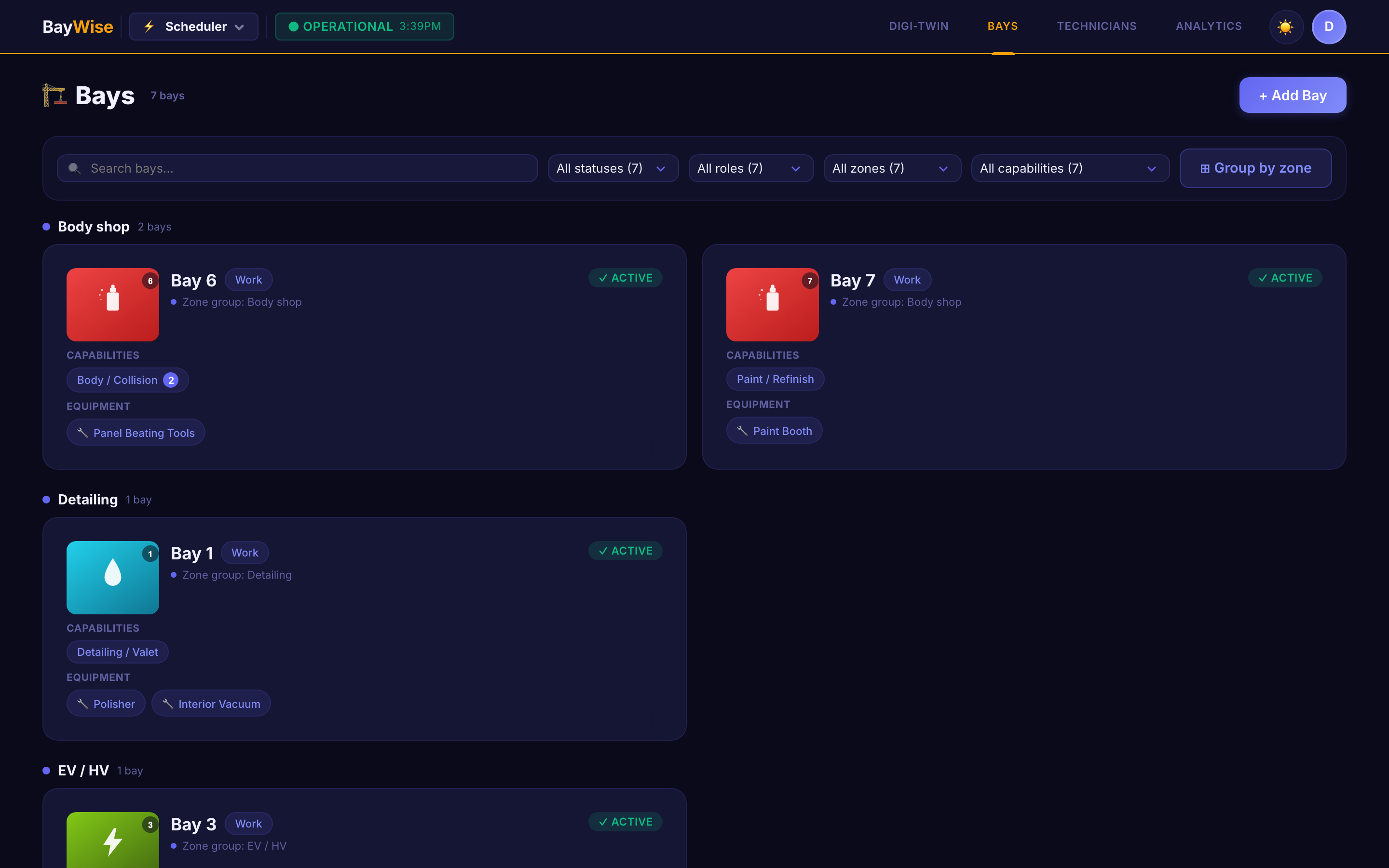
Add your bays, technicians, services, and operating hours. Link equipment to bays — a spray booth, a four-post hoist, an EV charging station. Profile each technician once: skills, competence level, certifications with their expiry dates, working hours.
For a bay, you can skip the form entirely and photograph it. The system reads the visible equipment and safety features and configures the bay itself — and refuses to mark a bay safe for hazardous work unless it can actually see the required equipment.
From then on it's enforced, not remembered. An EV job is never offered to an uncertified technician. A job needing a lift only ever sees bays that have one. Nobody gets scheduled outside their shift.
Running several sites? Configure once at head office and publish to every location, with local overrides where a site genuinely needs one.
Step 2: The engine plans the whole day
Not the next free slot — the whole day. Every open job, every bay, every technician on shift, every promise time, weighed together, and the best arrangement worked out in seconds.
Some rules can never be broken: equipment a job actually needs, certifications a technician actually holds, the cleanup gap between two jobs in the same bay, work sent to an outside vendor that shouldn't block an internal technician. Others are traded off intelligently — a customer waiting on-site outranks a drop-off, and hitting the promised pickup time is the engine's first priority.
Your team and the engine play from the same rulebook. Pin a car to a favourite technician and that pin holds, permanently, through every replan. And when someone assigns a job by hand, the picker only ever offers options the engine itself would accept — a technician already booked solid simply doesn't appear.
Step 3: It repairs its own plan
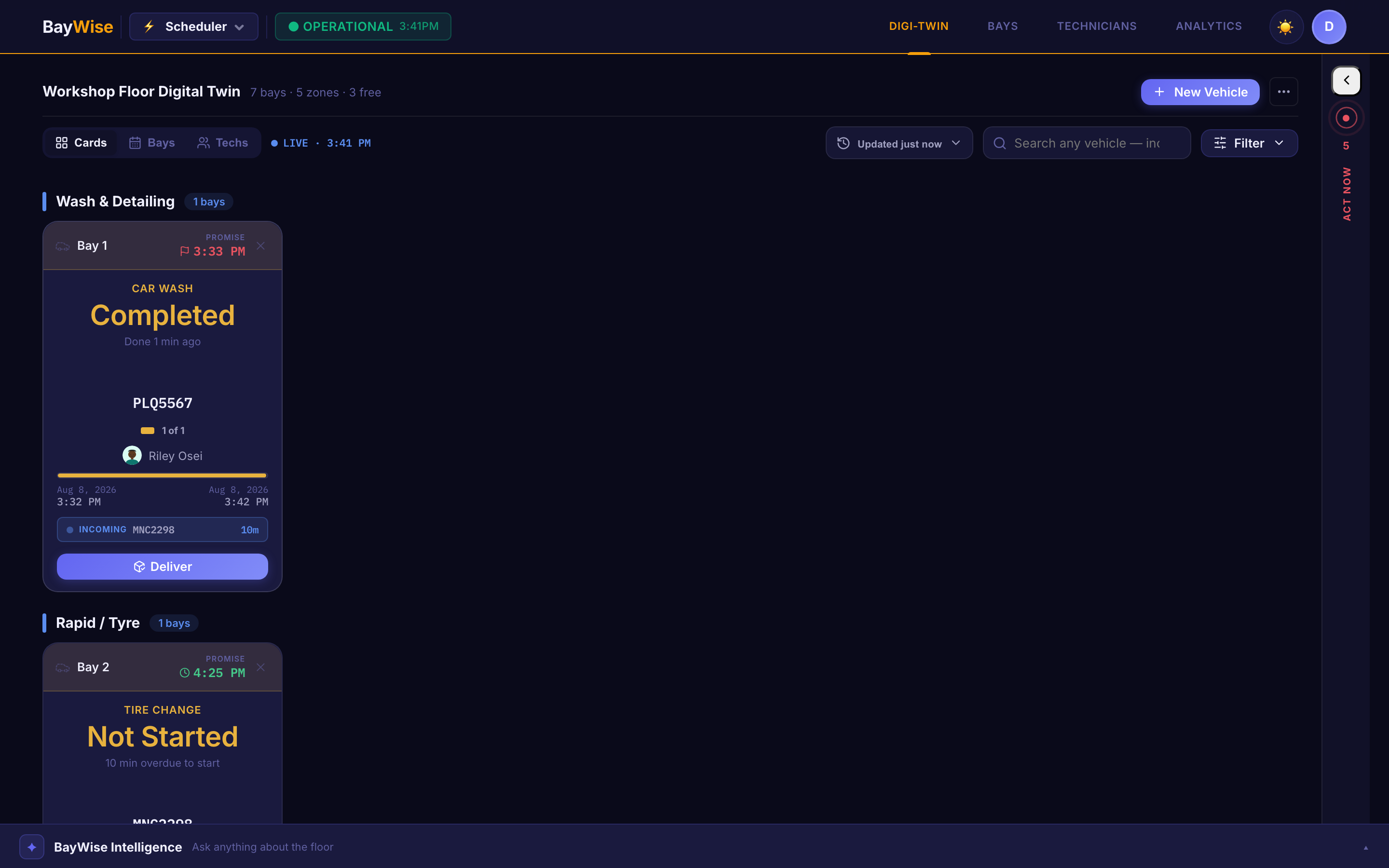
A plan built at 8am is wrong by 9am. So the engine re-solves the entire floor every few minutes, against whatever has actually changed since the last pass.
A technician clocks out sick at 11am. Nobody touches a keyboard — within minutes the affected work is reassigned and the rest of the day has moved around it. A diagnostic at 10am adds three unplanned hours; the afternoon reshuffles itself before anyone has to spot the conflict. A part is flagged backordered at 9:03, and every downstream consequence is reflected by 9:06.
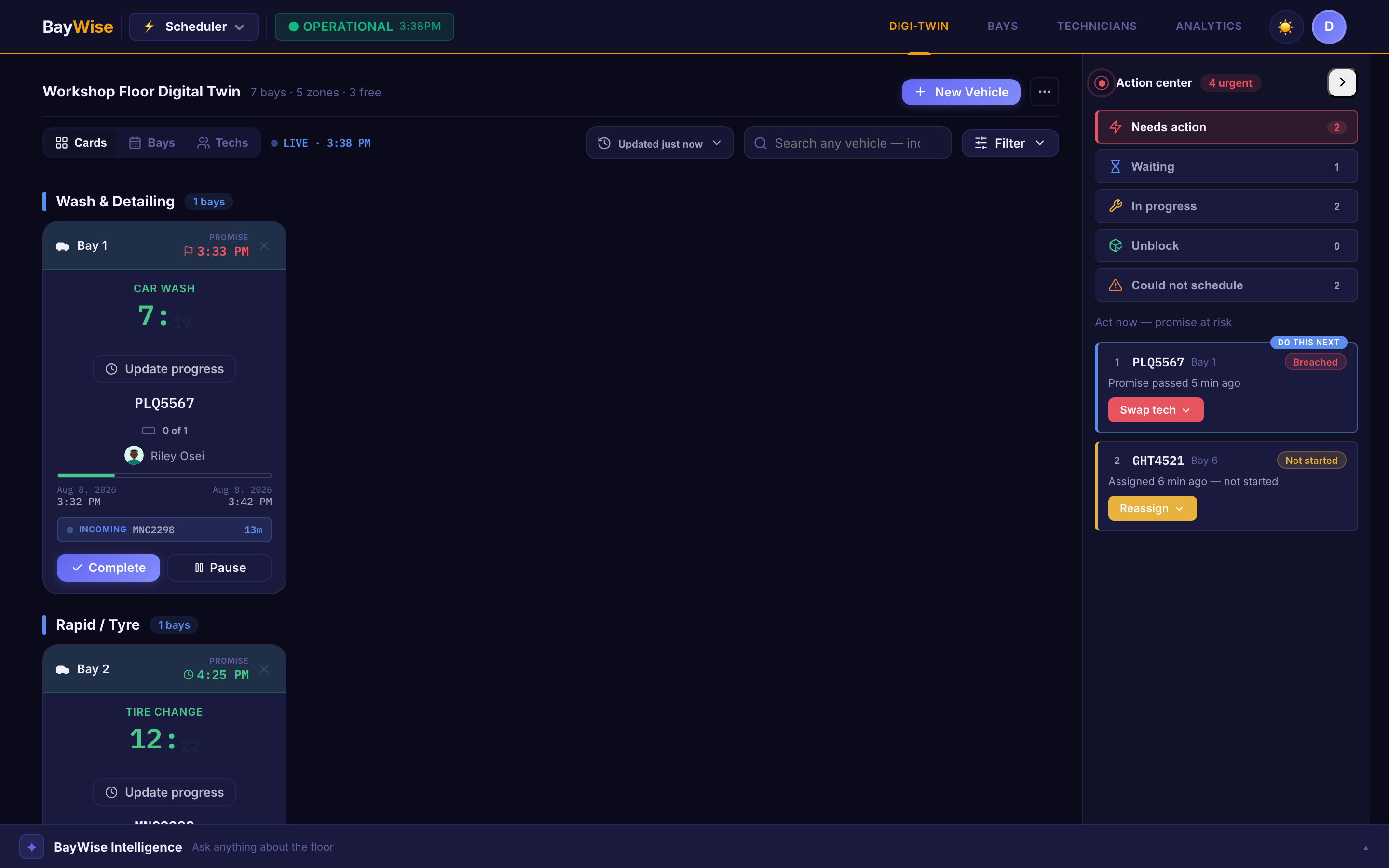
Meanwhile the board shows every bay's real state — on track, due soon, overrunning, paused, waiting on the customer — and a single panel ranks everything that needs a human, closest to breaching its promise first, each with a plain reason: no eligible technician — every EV-certified tech is booked until 4pm. An answer, not a mystery gap in the schedule.
Step 4: Close the day, and get better at it
At 5:45pm the controller opens Day Close. Every unfinished job forces a decision — complete it, or carry it over with a documented reason. Nothing gets quietly forgotten, and tomorrow starts from a true picture instead of a wiped board.
Analytics show bay utilisation with trend and idle-bay flags, technician productivity, and revenue per technician, for any range you pick. Two reports — a technician timesheet and a shop-wide overview — export straight to PDF or Excel.
And the twin gets better the longer it runs. Each month it compares every technician's estimated against actual job times and updates their profile, which genuinely changes who gets offered future work. It notices which bay and which technician handled a similar service on a similar model well, and favours that pairing next time. Correct an automated decision once, and that correction is reused every time the situation repeats.
Every decision — automatic or manual — is logged. Months later, "why was this car late?" has a specific answer.
What that adds up to
Live Digital Twin Board
Every bay shows its real state — on track, due soon, overrunning, paused, out of service — and updates itself. No refresh, no manual status change.
Without it: managers walk the floor to find out anything
Whole-Day Planning Engine
Plans every job, bay, technician, and promise time together — the best arrangement for the whole day, not the first slot that fits.
Without it: the day is only as good as whoever is on the desk
Continuous Replanning
The whole floor re-solves every few minutes against whatever has actually changed. A technician clocks out sick and the work has already moved.
Without it: the board is wrong from the first disruption until someone rebuilds it
Needs-You-Now Panel
Everything at risk in one ranked list, closest to breaching its promise first, each with a plain reason — and act on it without leaving the board.
Without it: problems surface at pickup, not while they can still be fixed
Enforced Skills & Equipment
Certifications, competence levels, and bay equipment are enforced structurally. An uncertified technician is never even offered an EV job.
Without it: compliance depends on someone remembering to check
Day Close & Analytics
Every unfinished job forces a decision — complete, or carry over with a reason. Bay utilisation, technician productivity, and promise adherence, exportable.
Without it: the board is wiped at 6pm and nothing is learned from the day
See it on your own floor
Free plan. No credit card. No sales call.