From scattered to structured in three steps
BayWise Payments replaces spreadsheets, WhatsApp reminders, and month-end scrambles with a system every member of the team can see — the cashier, the advisor, the finance manager, and the owner.
Step 1: Configure your financial workflow
Connect your payment processor, set your tax jurisdiction, enter recurring obligations (rent, salaries, insurance premiums), and invite your team. Define payment categories and surcharge rules. If you run multiple locations, configure once at HQ and push to every site.
A finance manager configures the entire system in 35 minutes. Payment processor connected, tax rules set, recurring rent and salary obligations entered, three team members invited. The cashier is collecting by lunch.
Step 2: Collect and pay
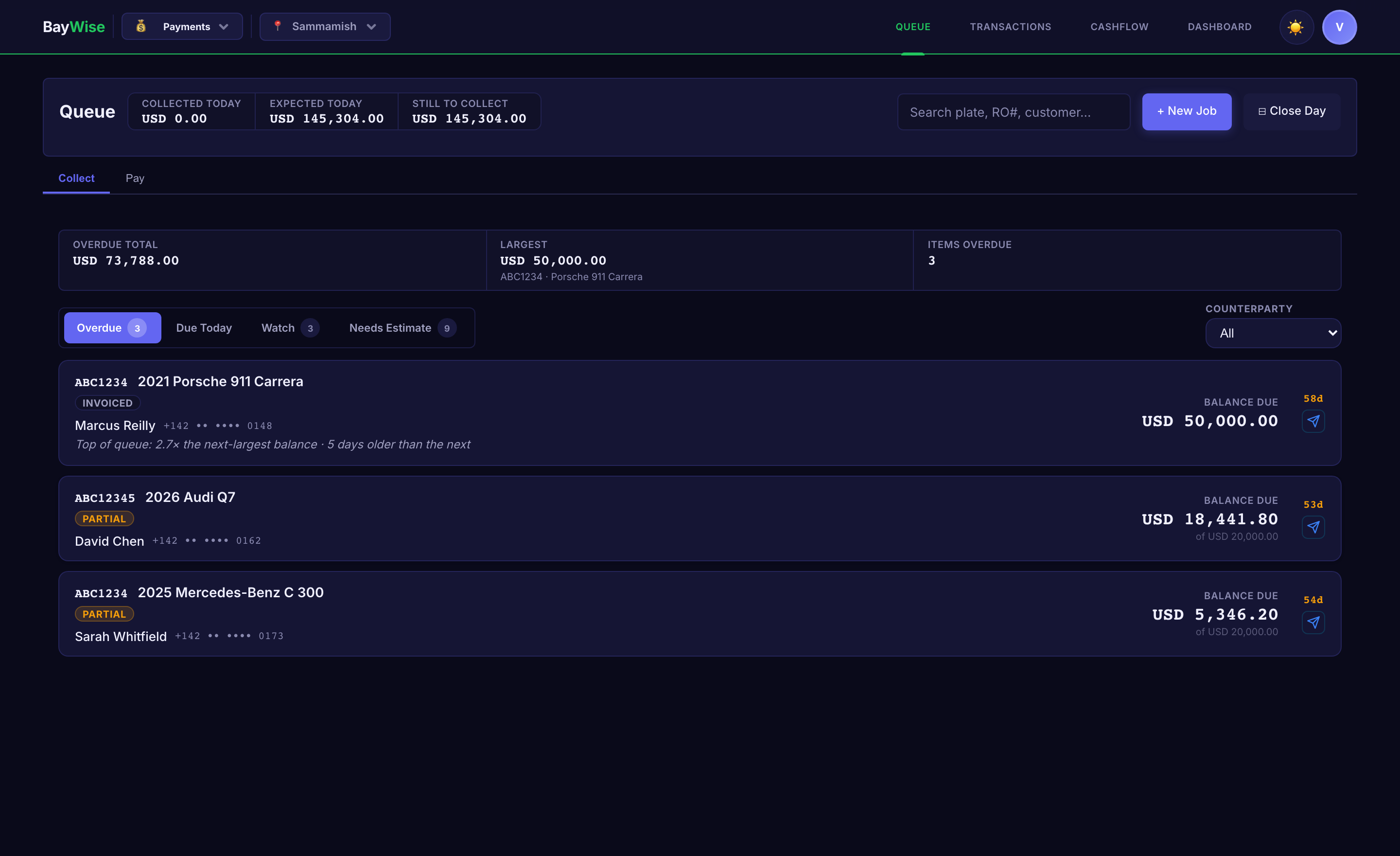
The Collection Queue is the cashier's home screen. Three buckets — Overdue (red), Due Today (amber), Watch (grey). Start with red. Each card shows the customer, the balance, and the action: record cash, tap card, or send a payment link.
The morning routine changes completely. The cashier opens the queue at 8am, sees 6 overdue items, and starts clearing them. Two by card, one by bank transfer, one by payment link the customer paid overnight. By 10am, four overdue items are resolved — no spreadsheet opened, no finance manager consulted.
For expenses, the Business Tab handles vendor invoices, parts purchases, and recurring payables. Record it once, track the due date, get reminded before it slips.
Step 3: Close the day and measure
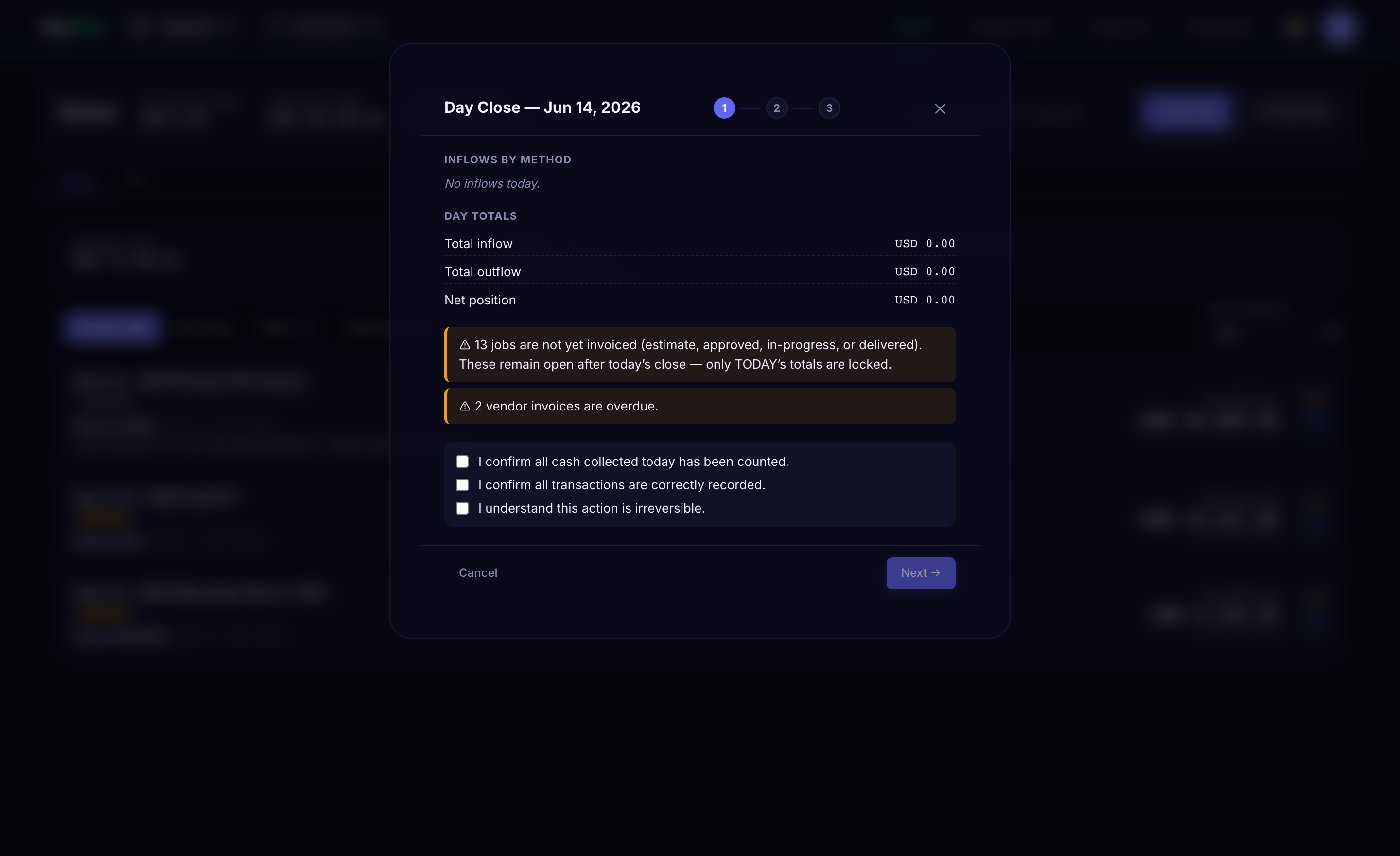
5:45pm. The cashier opens Day Close. The summary shows: 14 inflows totalling ₹1,42,000, 3 outflows totalling ₹31,000, net positive ₹1,11,000. Cash expected: ₹48,200. The drawer counts to ₹48,100. Variance: ₹100 — within tolerance. Confirm and close the day.
Total time: 4 minutes. Tomorrow starts with a clean, auditable record.
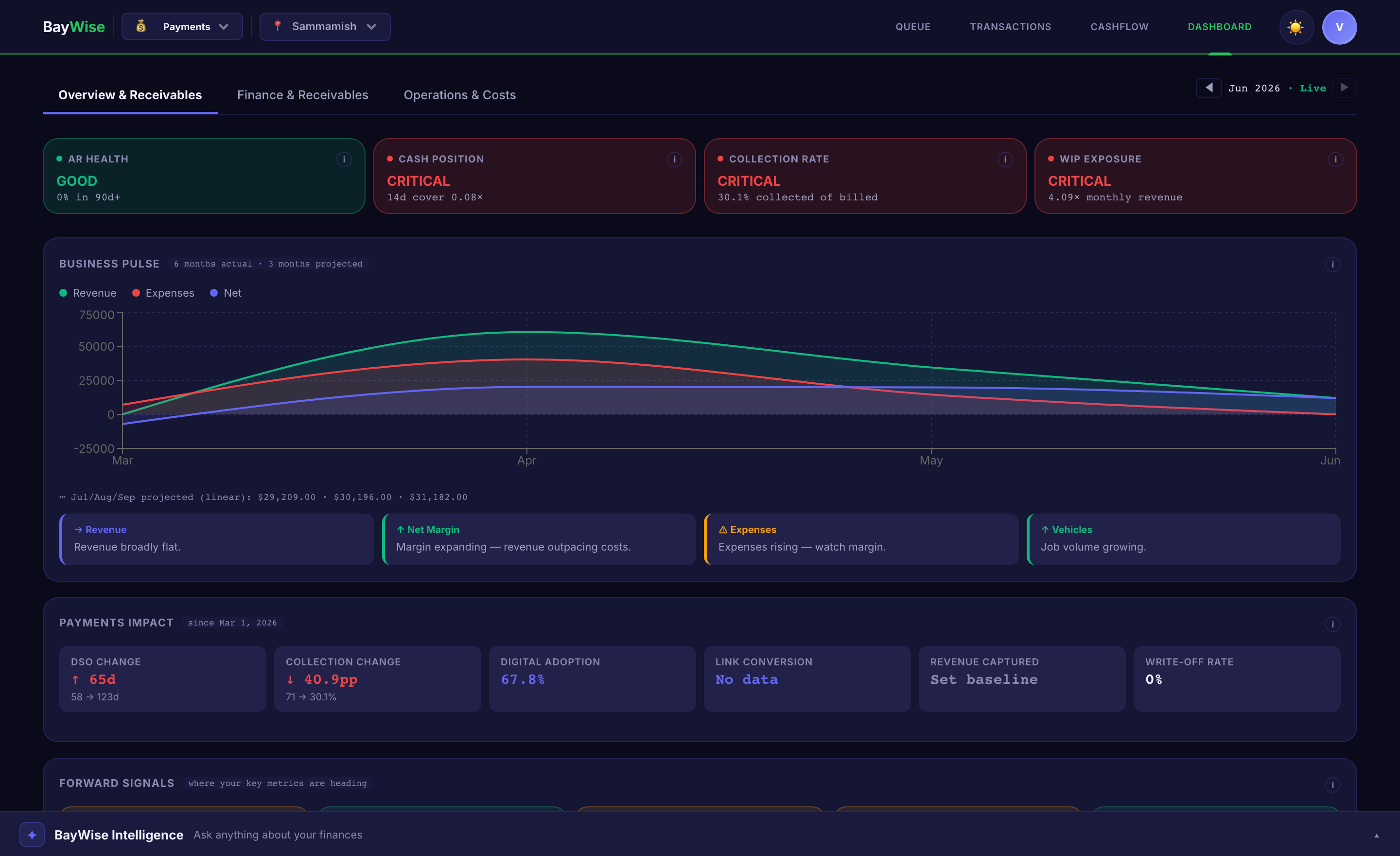
The CFO Dashboard gives the finance manager the rest of the picture: DSO is 22 days (down from 38 last month). Three insurer receivables are in the 60–90 day bucket. One vendor payable is overdue. Cash position for the next 14 days is projected positive. The receivables get drilled into, and payment links go out to the claims teams.
Everything your service operation needs to convert revenue into cash
Collection Queue
Every open receivable in one screen — retail, fleet, insurance, warranty. Overdue, Due Today, Watch. The cashier starts with red, works to green.
Without it: cashiers chase invoices from memory → 15–25% of AR slips past 90 days
Vehicle Ledger
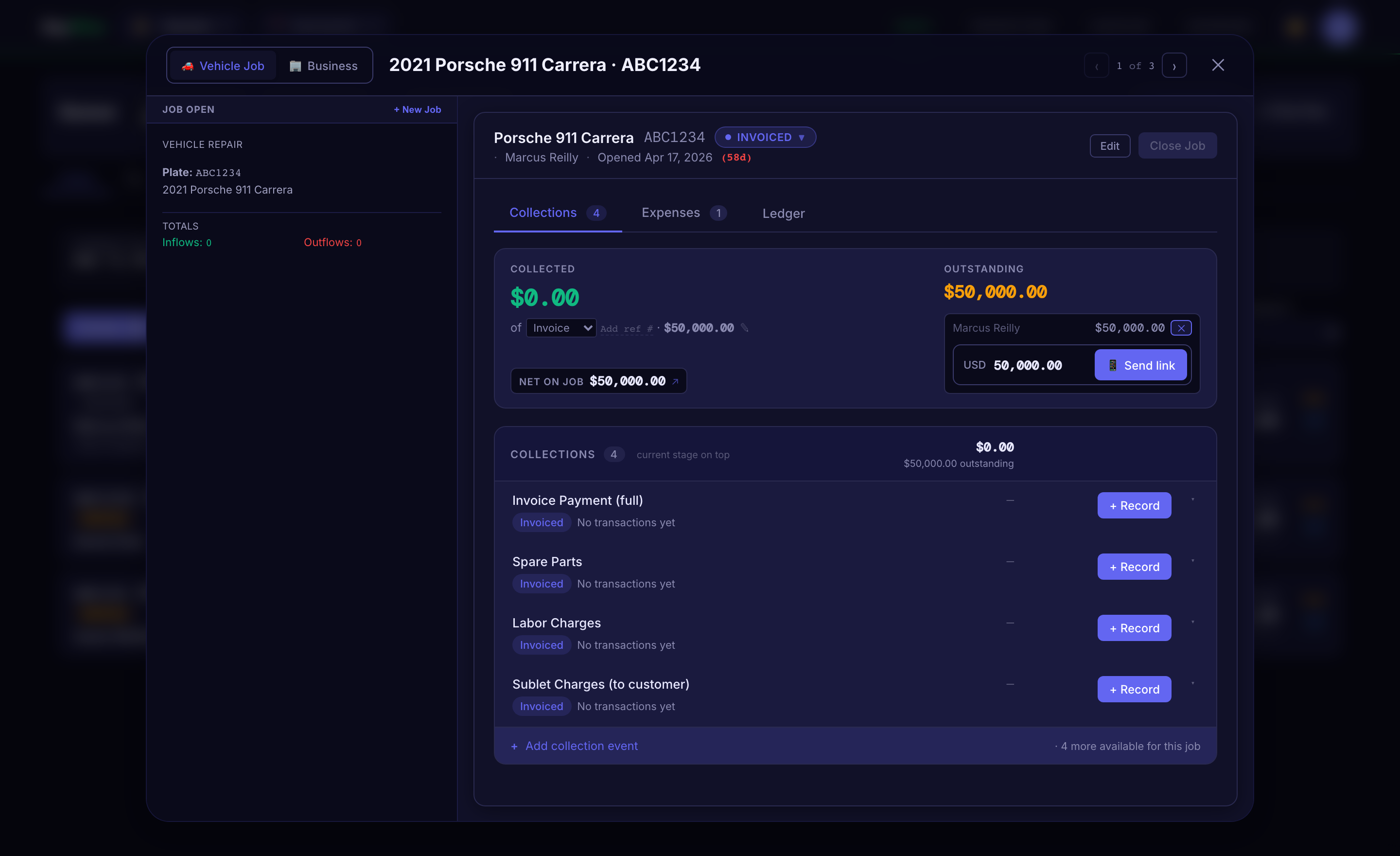
Per-job financial card. Quoted, invoiced, collected, outstanding — with insurance and warranty portions tracked separately. The advisor sees the position without calling finance.
Without it: nobody tracks cash at the repair order level — revenue ≠ cash received
CFO Dashboard
AR aging, DSO trend, collection rate, payment method mix, vendor payables, and 14-day cashflow projection — live, not month-end.
Without it: financial visibility arrives 30 days too late to act on aging receivables
Payment Links
Send a payment link via WhatsApp or SMS. Customer pays from their phone. Transaction records automatically. 60% average completion rate.
Without it: customers who leave without paying require phone calls and follow-ups
Day Close
Structured end-of-day in 4 minutes. Review inflows and outflows, count cash, reconcile variance, lock the day. No transactions can be added after close.
Without it: 30–45 min/day reconciliation — or it gets skipped entirely, and variances compound
Recurring Obligations
Rent, payroll, franchise fees, insurance premiums. Set once, get reminded automatically. No missed payments when the finance manager is on leave.
Without it: missed vendor payments → tightened terms → cash-on-delivery requirements
Insurance & Warranty Tracking
Customer excess and insurer portion tracked separately. Warranty claims tracked from submission to reimbursement. See exactly which claims are aging and why.
Without it: insurance AR ages silently past 90 days — approved repairs sit uncollected
Cashflow Calendar
14-day forward projection. See when money is expected to arrive and when obligations are due. Plan ahead, not in arrears.
Without it: cash shortfalls discovered when the vendor invoice is already overdue
Multi-Location Control
Standardised workflows, per-location processors, cross-location dashboard. One view across all brands and ERPs — consistent day close at every site.
Without it: month-end = a week consolidating spreadsheets from every location and brand
See it in your workshop
Free plan. No credit card. No sales call.